
Basehim 1.3.0: light and dark mode, accent colours, and a colour palette for everyone
 Asif Mughal
4 min read
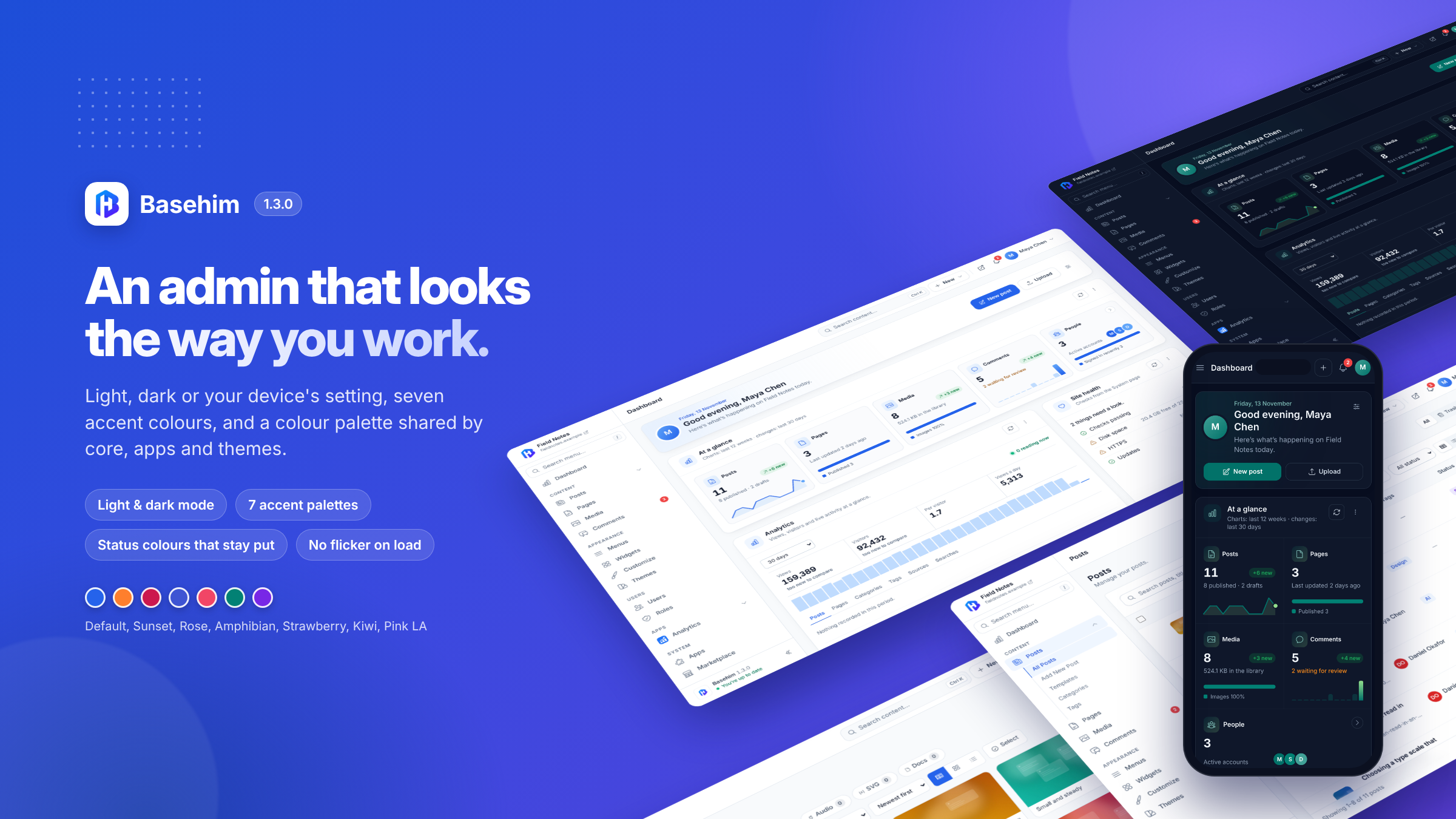
Basehim 1.3.0 is the biggest change to how the admin looks since 1.0. Everyone now chooses light, dark or their device's setting, and an accent colour, and the whole admin follows: the editor, the Customizer, media, tables, error pages and the admin bar on your site.
Update from Admin → Updates. There are no database changes and nothing to do afterwards. New sites can download the complete package from the GitHub release.
Light, dark or your device's setting
Open your account menu (your picture, top right) and choose Light, Dark or System. System follows your computer or phone, and switches when it does. Until someone chooses, the admin follows their device.
The choice is saved to your account, so each person on a site picks for themselves, and it's the same on every device you sign in from. Every screen was checked in both modes, including the block editor, the Customizer, the media library, data tables, dialogs and the dashboard.
Seven accent colours
Pick the colour of buttons, links, switches and charts from seven palettes: Default, Sunset, Rose, Amphibian, Strawberry, Kiwi and Pink LA. Each is a set of four colours, so charts with several series stay in the same family. Every combination is checked for readable contrast in light and dark.
Status colours stay put
Whatever accent you pick, success is always green, warnings orange and errors red. A rising figure on the dashboard's At a glance card is green, and a falling one red, so you never have to wonder whether a colour means "good" or "your accent".
A colour palette for everyone
Basehim now has ten named colours (red, orange, yellow, green, blue, pink, purple, brown, black and white) with ready-made classes, the way Bootstrap's work. They're readable in light and dark, and they're the same for core, apps and themes, so a "Paid" badge in an invoicing app looks like it belongs in Basehim:
<span class="bh-badge bh-text-bg-success">Paid</span>
<div class="bh-note bh-bg-warning-subtle bh-text-warning">Expires in 3 days</div>
Themes can link the palette on its own, a small stylesheet of 1.5 KB.
Pages that appear finished
Most admin pages used to show a brief jump while they loaded: a table drawn plain and then rebuilt, the editor's sidebar appearing before the editor, a filter widening after the page opened. Tables, the editor, the Customizer, media and settings pages now appear finished, with no jump.
Smaller things you'll notice
- Tabs scroll with a mouse. When section tabs don't fit, arrows appear at the ends. The tab bar is frosted glass, like a table's sticky header, and a table under tabs no longer slides behind them when you scroll.
- Error pages match your look. Error and "access denied" pages follow your light or dark mode and accent instead of always being light and blue.
- A roomier dashboard on phones. Even spacing around the cards, and the At a glance figures get more room.
- Easier to read. Small grey text, badges and buttons that were too faint now meet the accessibility standard for contrast (WCAG AA), in light and dark.
Security: PHP's error log
Many hosts have PHP write its errors to a file named error_log in your site's folder. Basehim's rules blocked downloads of .log files, but this file has no extension, so on Apache and LiteSpeed anyone who guessed its name could download it. Error logs can contain paths and details of your setup.
1.3.0 blocks it. Your site's .htaccess file is updated for this automatically the first time you open the admin after updating, and the built-in development server refuses it too.
For app and theme developers
Apps can follow each person's choice with no colours of their own:
- CSS variables such as
--bh-surface,--bh-text,--bh-accentand--bh-success, which change with light, dark and the accent. - A Tailwind preset,
tailwind.preset.js, so an app's own build means the same thing as core's classes,dark:included. - A script API,
Basehim.appearance, with real colour values for charts and a change event, andapi()->appearance()in PHP. - Stylesheets in the page head.
HeadStyles::add()puts a stylesheet in<head>from any view or partial, so your screens don't flash unstyled either.
Everything is described in Admin UI components, under "Light, dark and accent" and "Colour palette".
After updating
Nothing to do. If you use the Analytics app, update it to 1.13.0 after this release, so its charts take the new colours.
Leave a comment